
Webflow versus Enterprise WordPress for Growth
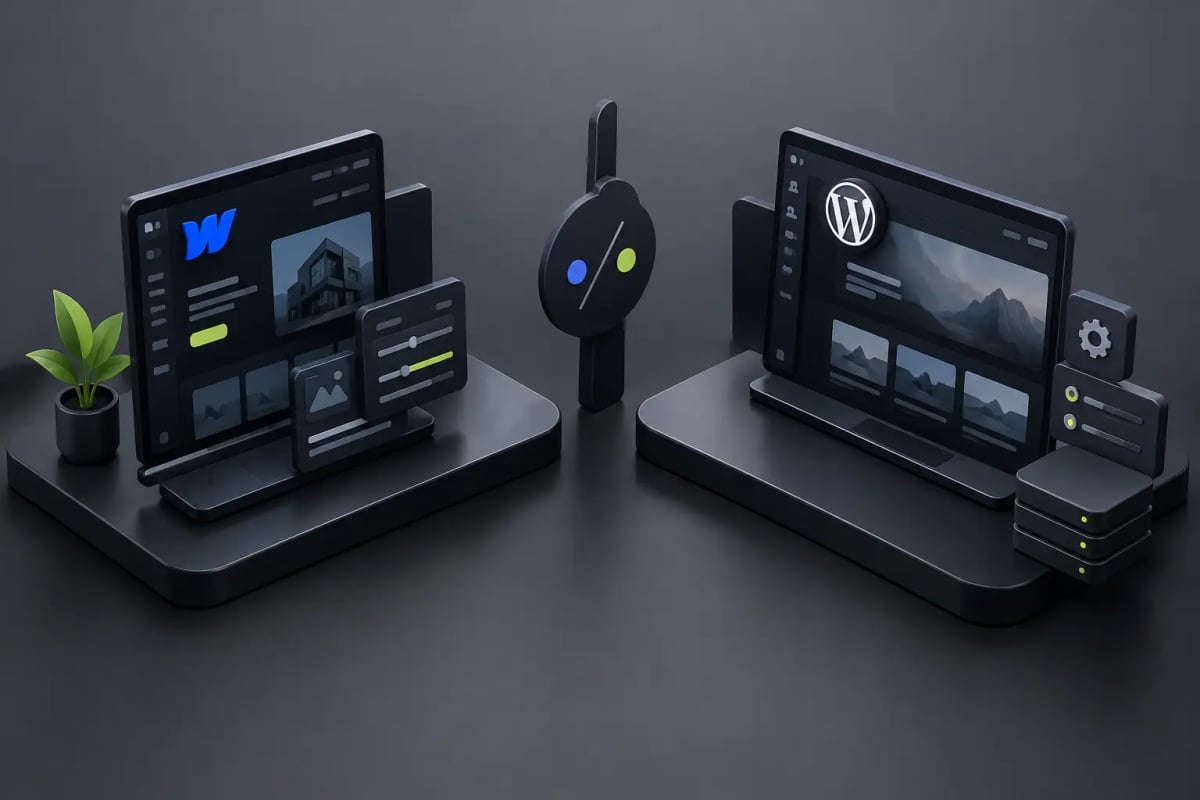
A company doesn’t change its web platform out of trend. It does so when its site takes too long to load, the team relies on a developer to change a page, or the visual experience no longer represents the level of its brand. In the conversation about Webflow versus Enterprise WordPress, the real decision isn’t which tool has more features. It’s which one allows you to turn your website into a business asset faster, more securely, and easier to evolve.
For a growing company, the site must support campaigns, capture leads, explain a complex value proposition, and project trust in seconds. That’s where Webflow and WordPress take different paths. Both can build excellent sites, but they require very different ways of working, maintenance, and governance.
Webflow versus Enterprise WordPress: The Fundamental Difference
WordPress was born as a publishing platform and evolved into the most widely used CMS on the market. Its strength lies in its breadth: thousands of themes, plugins, integrations, and available developers. For an organization with very specific needs, a complex technical architecture, or a massive editorial operation, that flexibility can be a real advantage.
Webflow operates from a different logic. It combines visual design, CMS, managed hosting, and development tools in a single environment. The result is less dependency on external pieces to build a high-level corporate site. Instead of installing a theme and modifying it until it resembles the brand, the team can design a custom experience from the structure, interactions, and content.
This difference matters because a corporate website shouldn’t be a collection of patches. It should have a clear foundation to grow without compromising speed, security, or visual consistency.
Premium Design and Speed to Market
In WordPress, the visual outcome heavily depends on the starting point. A premium theme can accelerate a first version, but it may also include code, options, and styles that no one needs. Customizing it thoroughly often requires additional development. With a fully custom-built site, the potential is enormous, although time, budget, and reliance on specialists also increase.
Webflow offers greater visual control directly in the build process. This allows for creating custom interfaces, coherent design systems, elegant animations, and landing pages for campaigns without sacrificing brand identity. It’s not about moving blocks to fill a page; it’s about translating a UX/UI strategy into an experience that guides the user toward a specific action.
For service businesses, architecture, hospitality, technology, or professional firms, that difference is visible. A well-designed website communicates authority before the visitor reads the second paragraph. If the brand competes on perception, trust, and differentiation, design is not decoration: it’s part of conversion.
Speed also changes. A well-planned process with Webflow can take a corporate website to production in weeks, not months, because design and development work on the same logic. At Flow, for example, this approach allows us to launch custom sites in less than four weeks when the scope and content approval are clear.
Maintenance: Where Many Websites Lose Energy
Most WordPress sites don’t fail upon publication. They fail afterward. Pending plugin updates, incompatibilities between versions, forms that stop sending contacts, backups that no one verifies, and uncontrolled user access are common problems when there isn’t a defined technical routine.
This doesn’t mean WordPress is inherently insecure. A well-developed enterprise WordPress site, with quality hosting, carefully selected plugins, constant monitoring, and maintenance, can operate very securely. The point is that it requires operational discipline. Each plugin adds functionality but also introduces a dependency that must be evaluated and maintained.
Webflow reduces that burden because hosting, SSL certificates, infrastructure, and platform updates are managed by the provider. The company doesn’t have to decide every week whether to update a critical plugin or wait for fear of breaking something. For marketing teams that need to publish autonomously and for management that wants fewer technical surprises, that simplicity has direct value.
The trade-off is that Webflow offers less freedom to install any imaginable solution. If your business needs a very particular integration, an internal application, or complex transactional flows, WordPress with custom development may provide more leeway. The right question is how much flexibility you truly need and how much maintenance you are willing to undertake to achieve it.
SEO, Performance, and Search Visibility with AI
No platform positions a site on its own. SEO depends on content strategy, information architecture, search intent, structured data, brand authority, and the quality of the user experience. Still, the platform can facilitate or hinder execution.
WordPress has a vast ecosystem of SEO tools. For editorial teams managing hundreds or thousands of articles, multiple authors, content across complex categories, or approval flows, it can be a very powerful publishing machine. However, installing several SEO, caching, image optimization, and form plugins does not guarantee performance. If configured without criteria, the site can end up heavier and harder to manage.
Webflow offers native controls for titles, meta descriptions, URLs, redirects, sitemaps, canonical tags, and basic page markup. Its hosting infrastructure and control over site structure help build fast and organized experiences. This is especially useful for corporate sites, service pages, portfolios, real estate projects, and lead generation strategies where the clarity of each page weighs more than publishing dozens of articles each week.
There’s also a contextual shift: search engines integrate responses generated by artificial intelligence and prioritize signals of usefulness, structure, and credibility. A slow, confusing page filled with generic content has less chance of competing. Design, information hierarchy, and message precision are already part of the SEO work.
Marketing Autonomy Without Losing Brand Control
An enterprise site needs to allow quick changes without opening the door to chaos. The marketing team should be able to update case studies, publish news, adjust calls to action, and create campaigns. But the critical elements of the brand shouldn’t break with an accidental click.
In WordPress, that autonomy depends on how the backend has been built. A site with a good block editor and custom fields can be comfortable for the team. One made with multiple visual builders, overlapping plugins, and poorly documented configurations can become a confusing interface where each change generates uncertainty.
Webflow CMS allows you to define collections and fields for recurring content such as projects, team, testimonials, job openings, locations, or articles. The editor updates content within clear limits, while the visual system maintains its coherence. It’s an attractive combination for companies that want speed in publishing without turning their website into a permanent design experiment.
When to Choose WordPress?
WordPress makes sense if the company needs an extensive content operation, highly customized functionalities, or integrations that Webflow does not efficiently cover. It can also be a logical choice when there is already a mature infrastructure, an internal technical team, and a budget allocated for ongoing maintenance.
It is especially competitive for media, portals with large content libraries, advanced memberships, e-commerce with complex rules, or projects that require application logic more than a marketing site. In those cases, technical freedom can justify the additional complexity.
When to Choose Webflow?
Webflow is often a great decision for companies looking for a visually impactful, fast, secure website focused on demand generation. It works very well when the goal is to present services, strengthen the brand, receive quote requests, generate bookings, or launch campaigns with a superior experience.
It’s also ideal when the company values having control over its content but doesn’t want to rely on plugin updates or a long chain of providers to modify a page. Less technical friction frees up time for what truly drives the business: improving the message, testing offers, and converting visits into business conversations.
The platform does not replace a strategy. A Webflow site without clear content, SEO structure, or relevant calls to action will still fail to generate results. But when combined with strategic design and well-thought-out architecture, it becomes a very powerful tool for growth.
The best choice is not the one with the most buttons. It’s the one that allows your company to move forward with confidence, publish quickly, and maintain a digital presence that looks as professional as the service it delivers.